

📱 iPhone, iPad, Mac and Android

Spelling practice
made simple.

Create custom word lists, hear every word read aloud, and track your progress with practice sessions, tests, and fun games.

Download on the App Store Get it on Google Play

See it in action

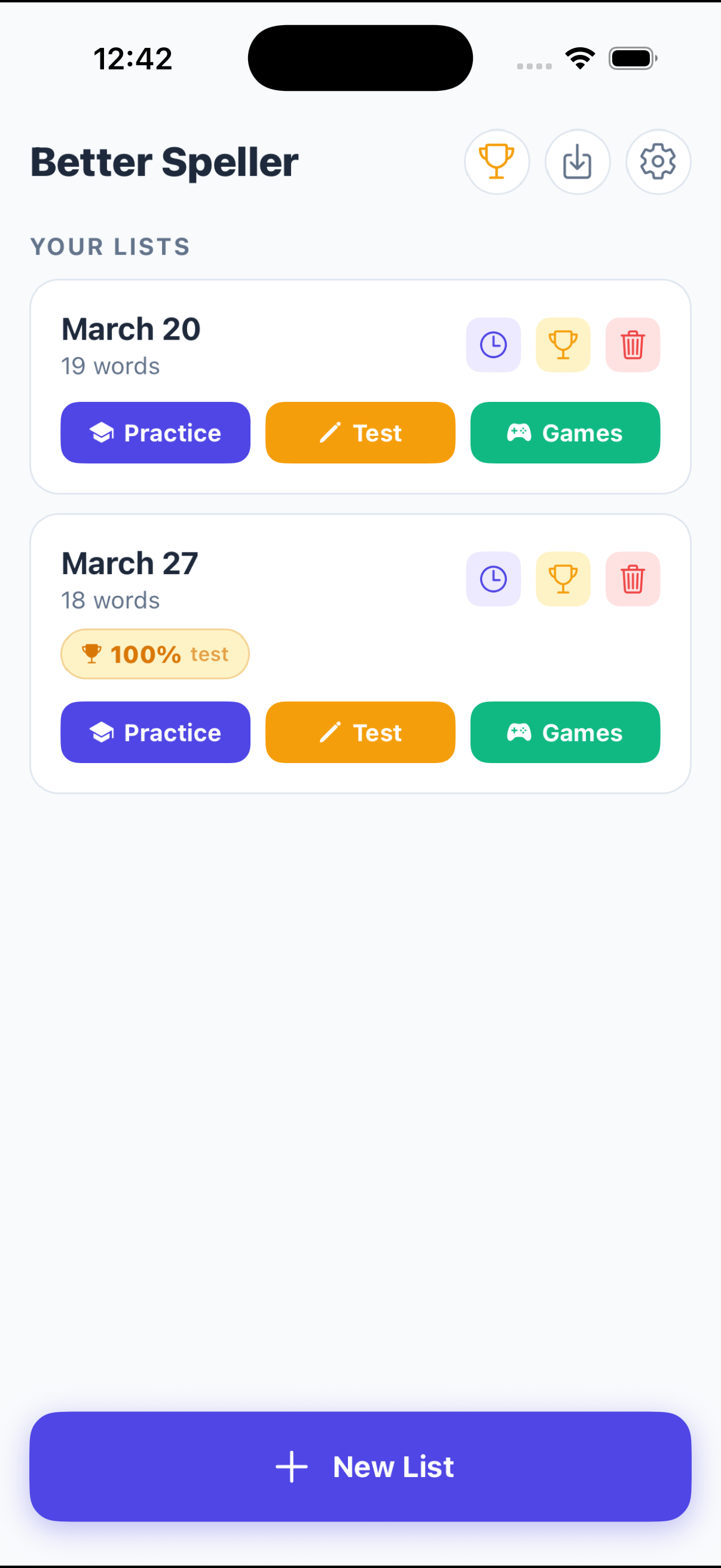
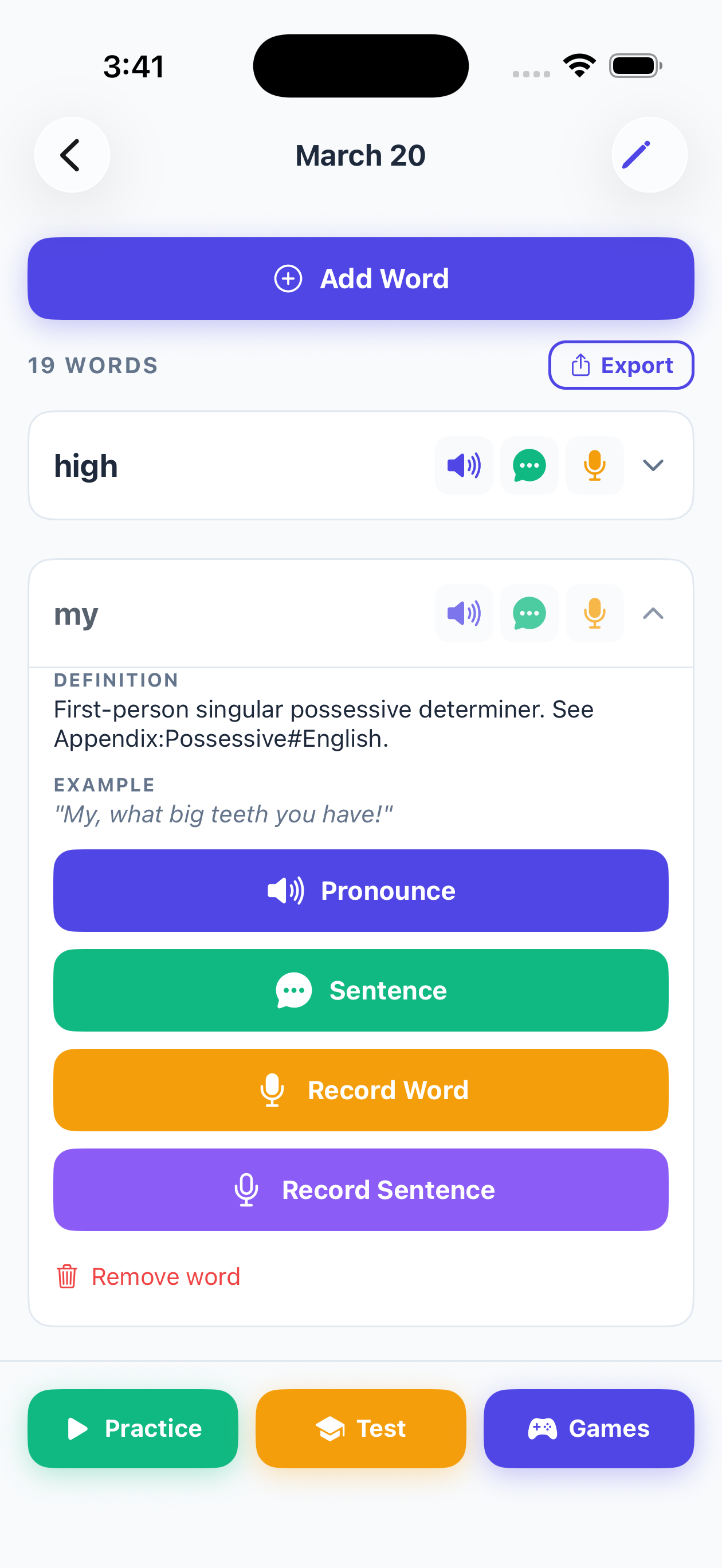
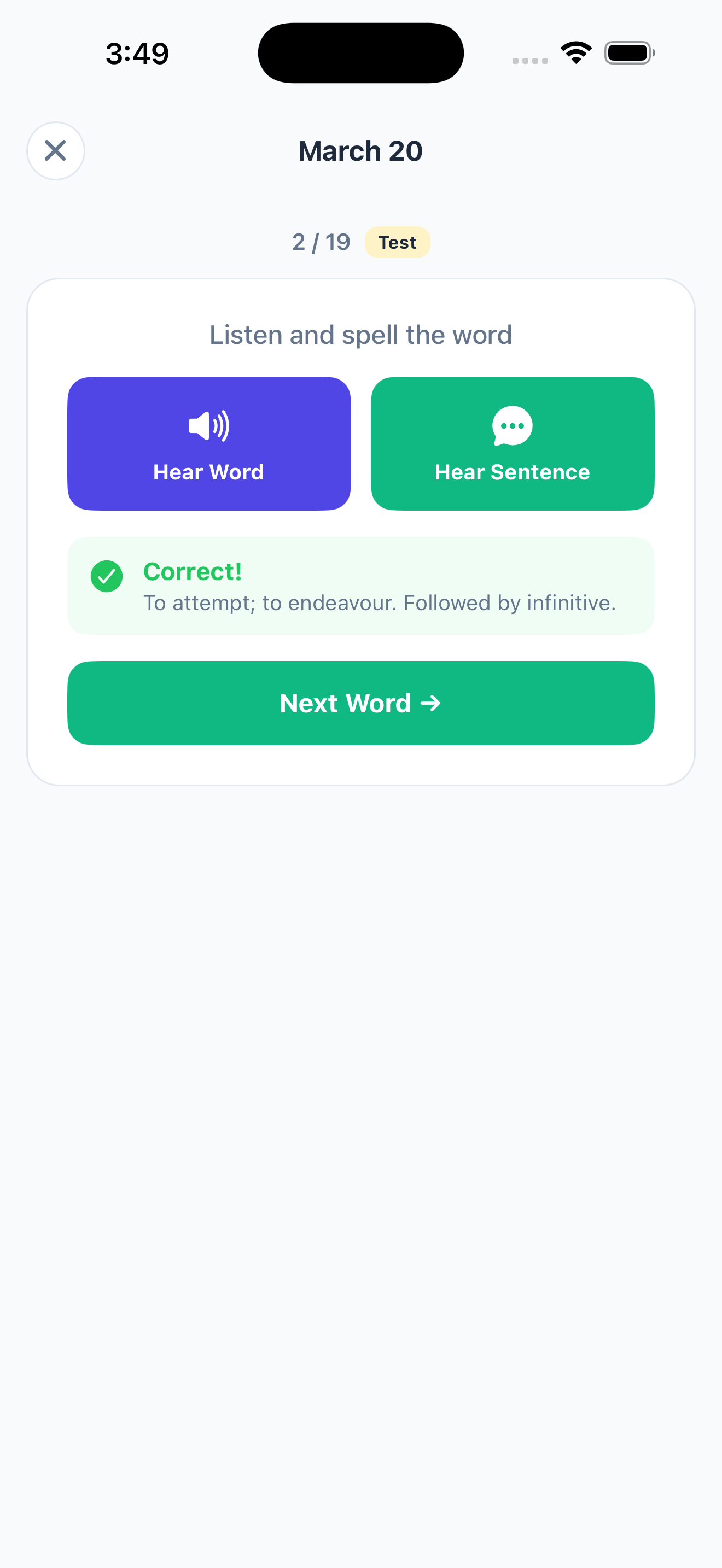
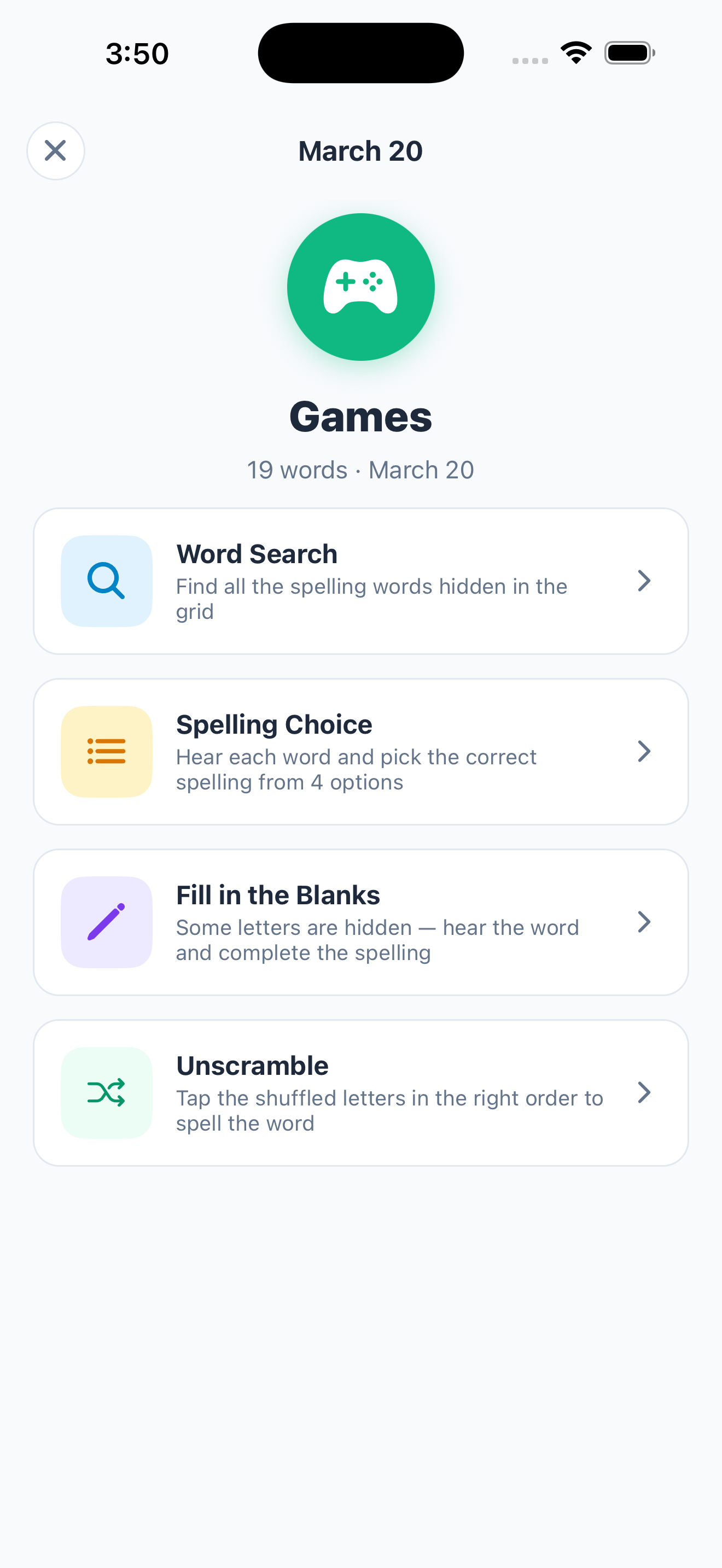
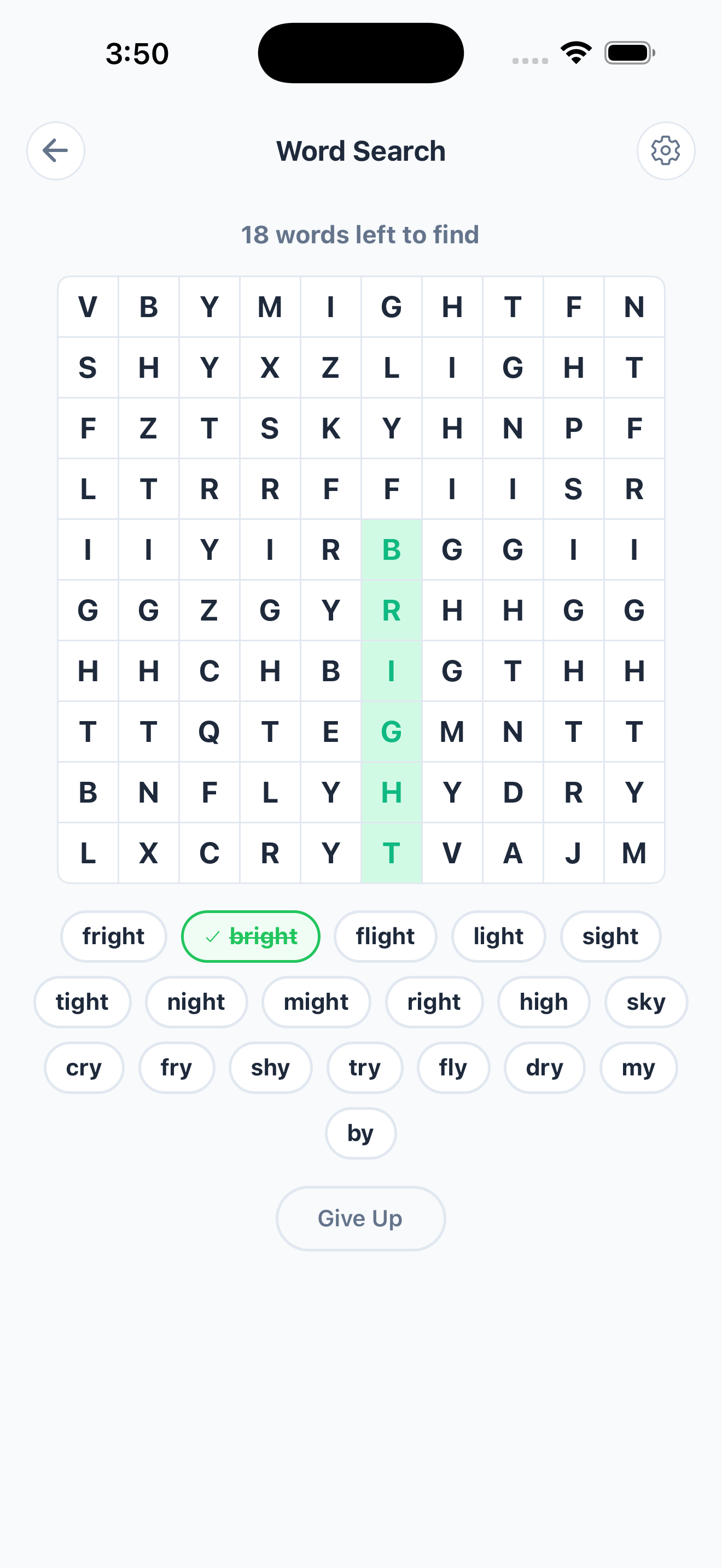
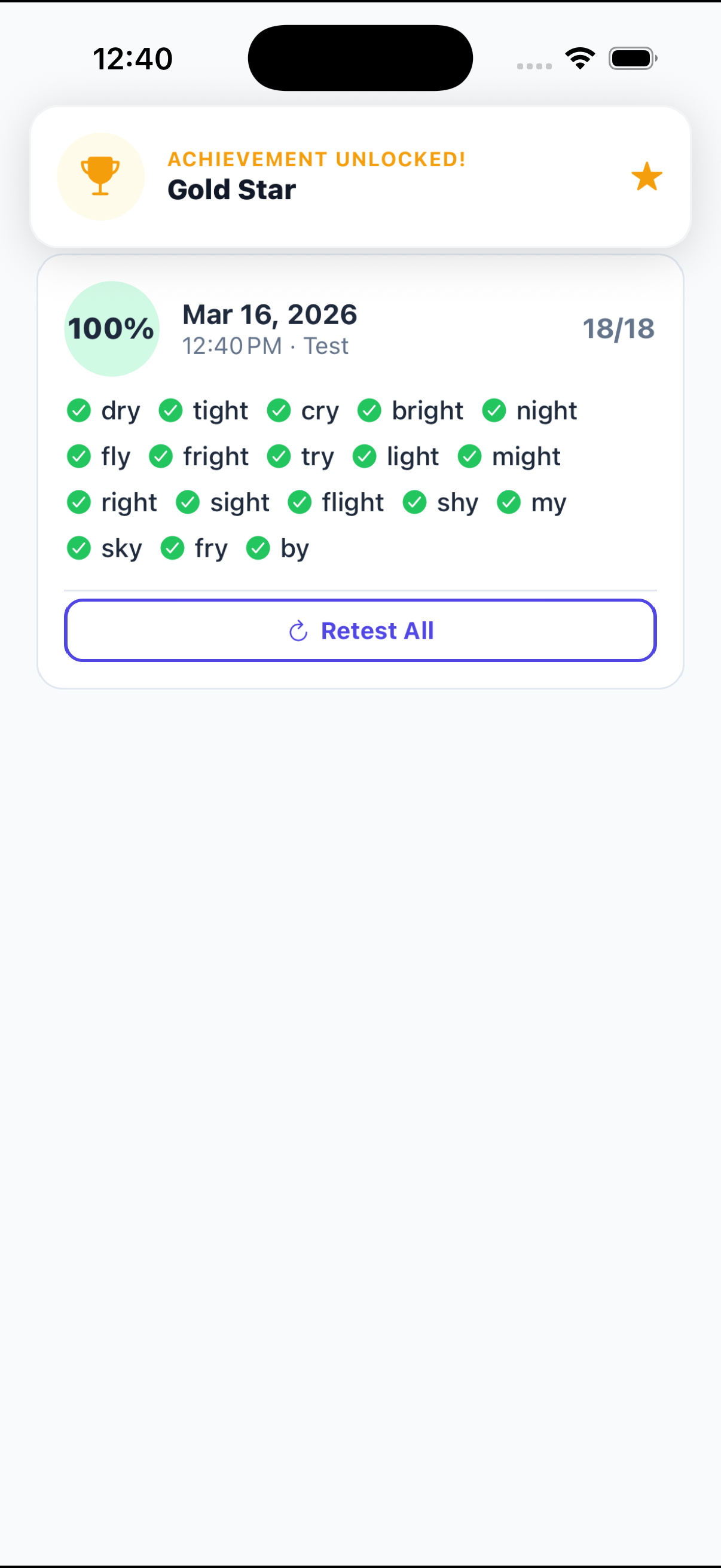
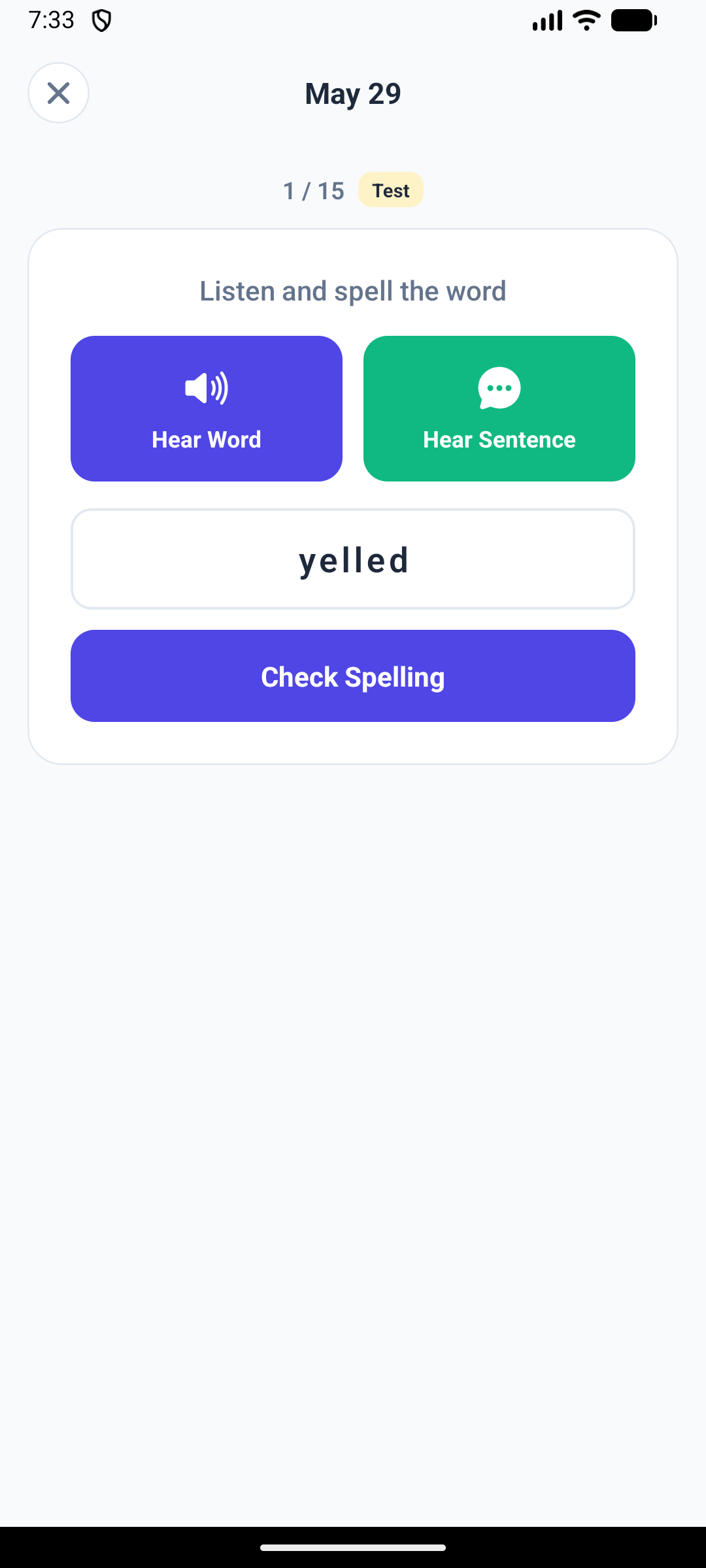
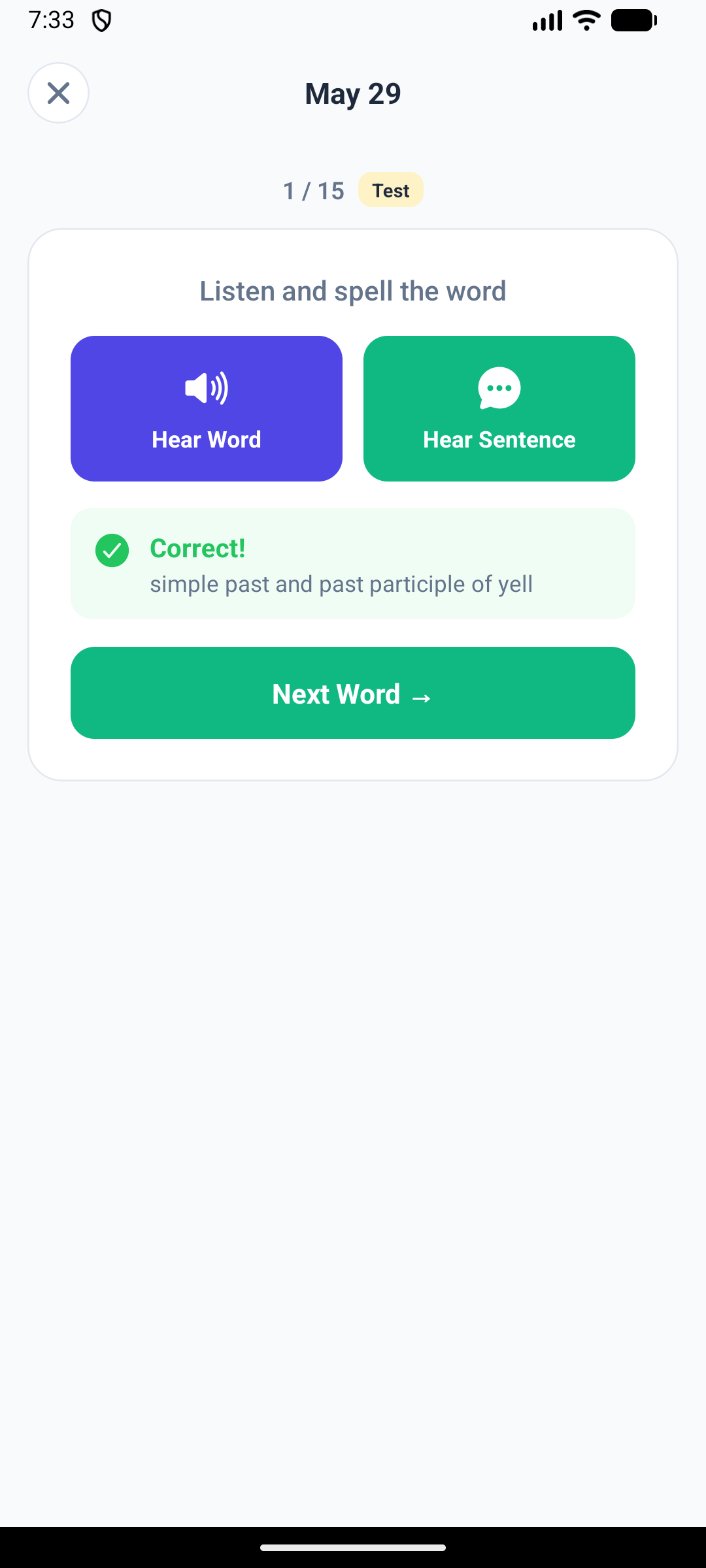
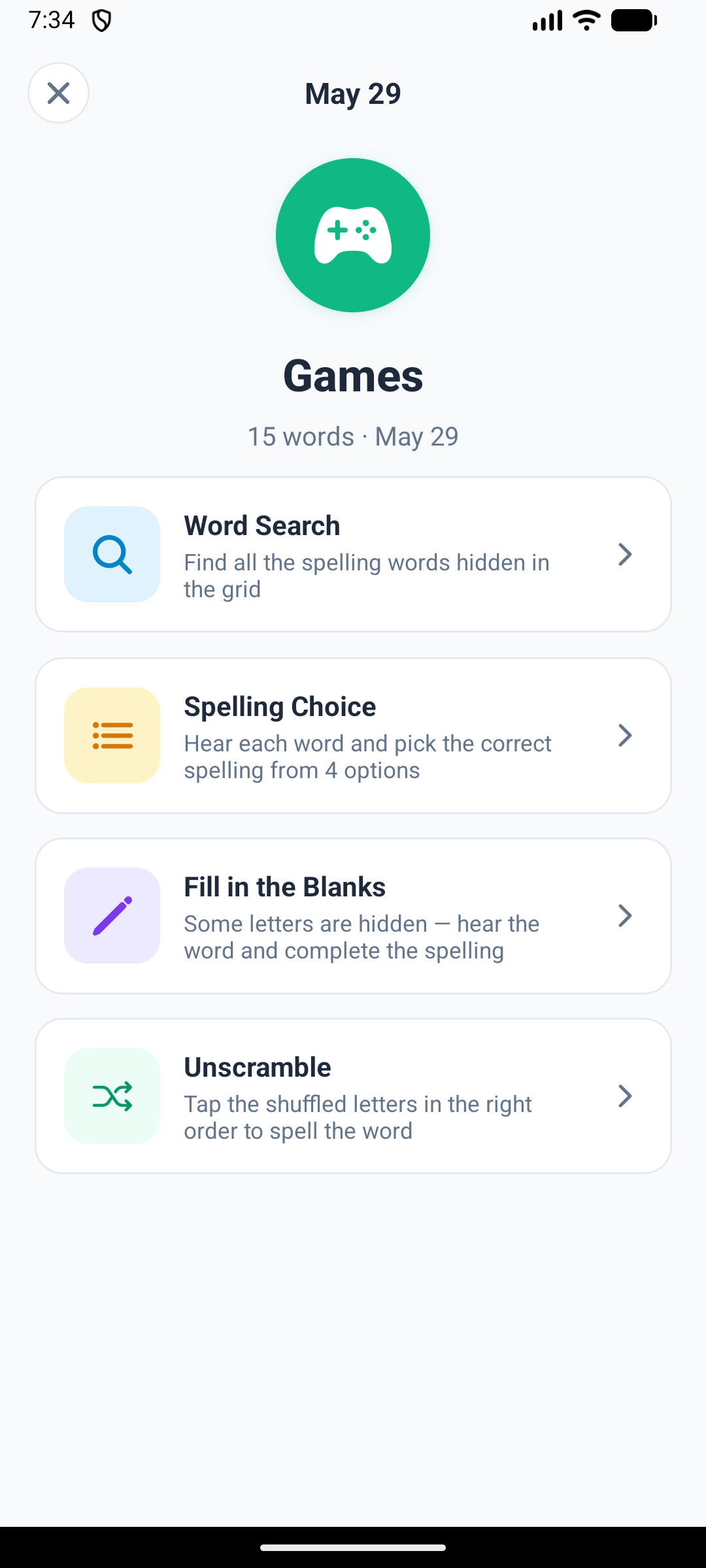
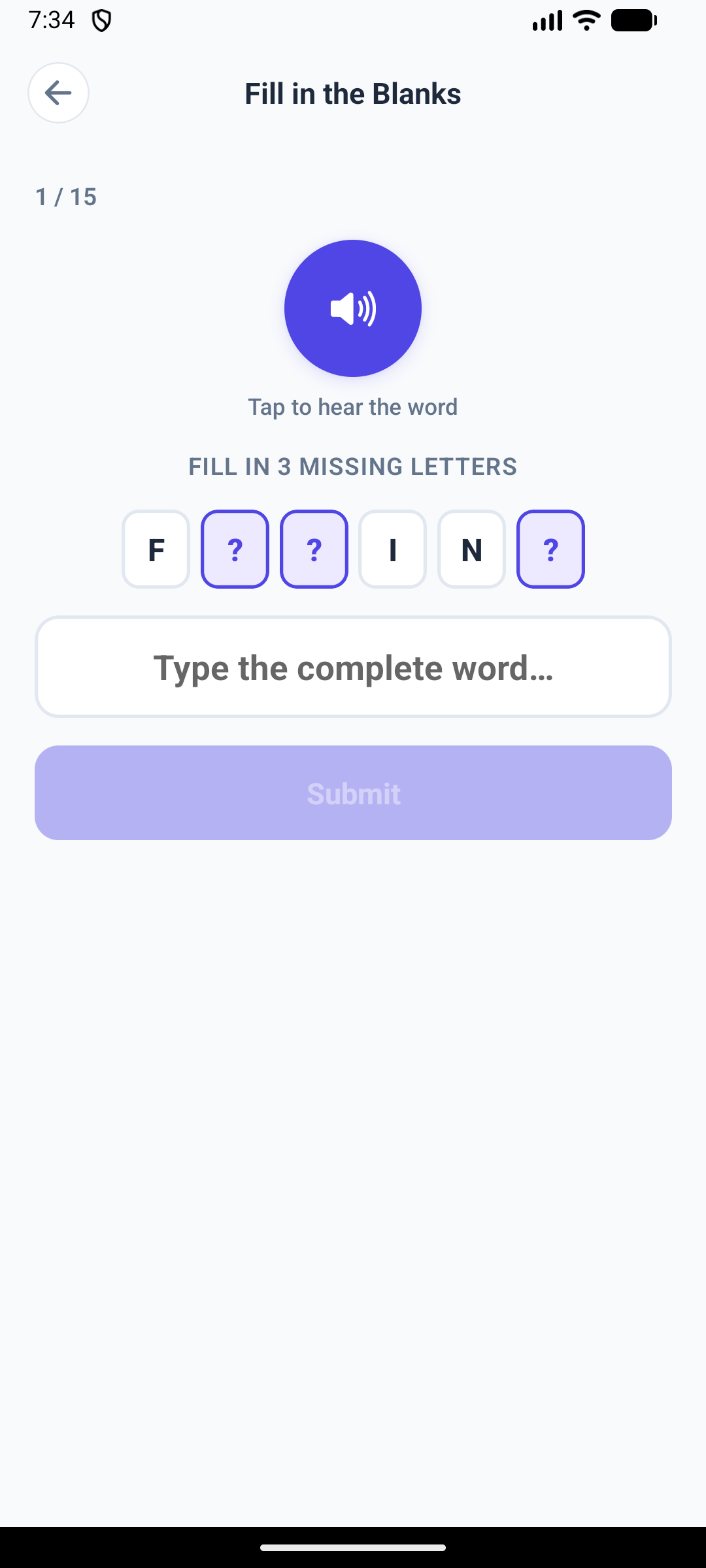
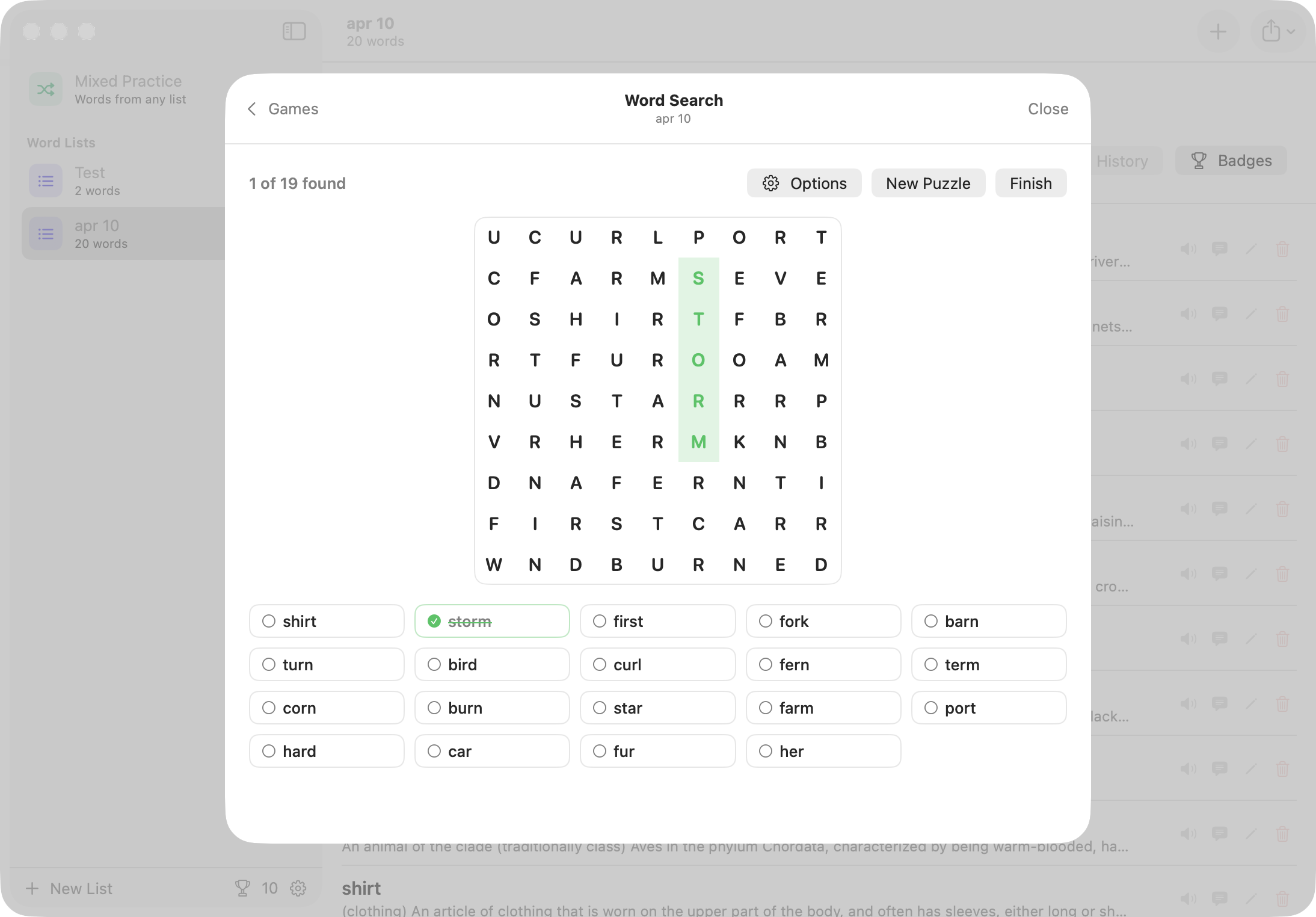
Your word lists, each with practice, test and games buttons A word expanded to show its definition, example sentence, and buttons to record it in your own voice Instant feedback after spelling a word correctly, with the meaning shown The games menu: Word Search, Spelling Choice, Fill in the Blanks and Unscramble A word search puzzle built from the words on the list A finished test scoring 100%, with every word marked correct
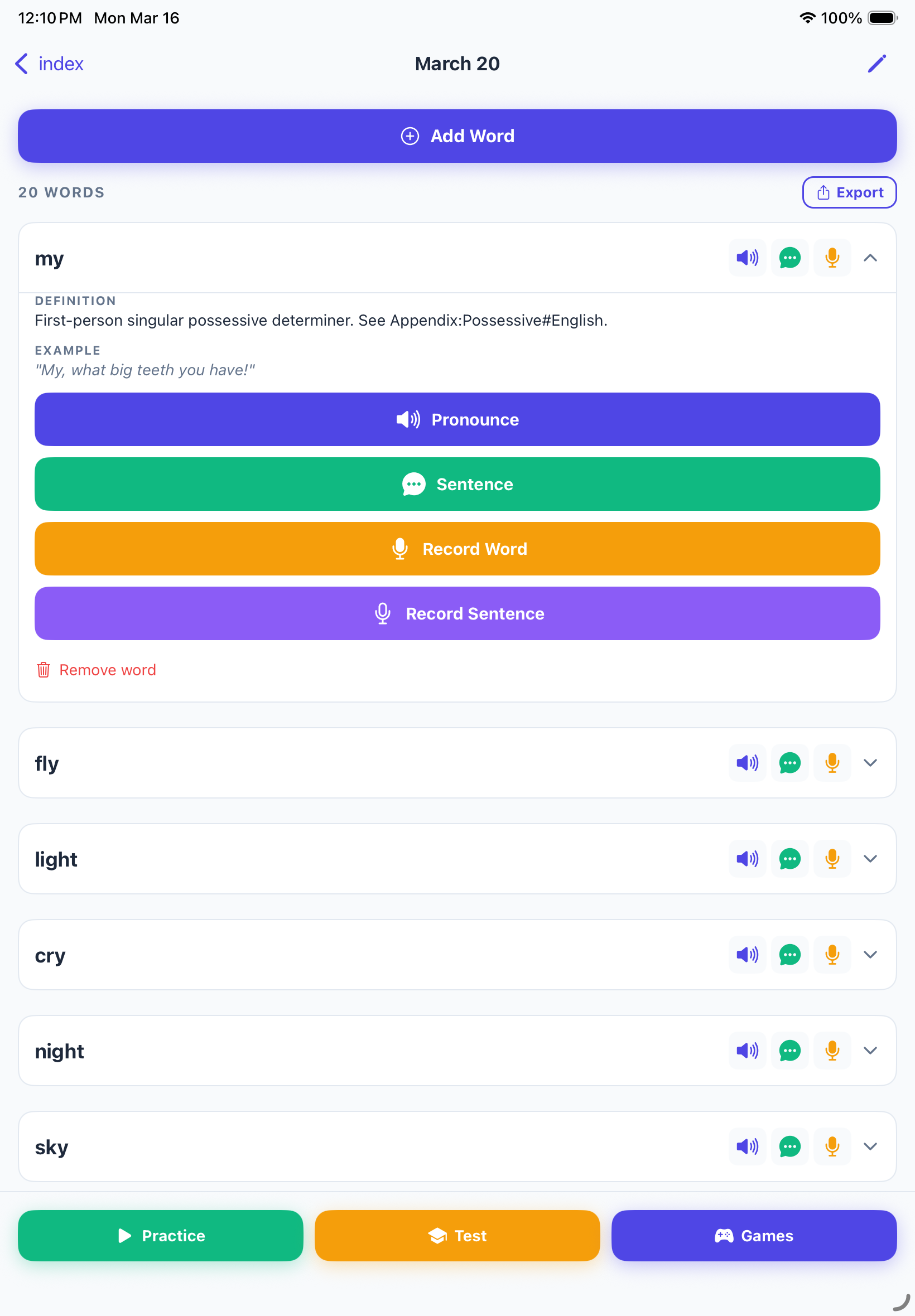
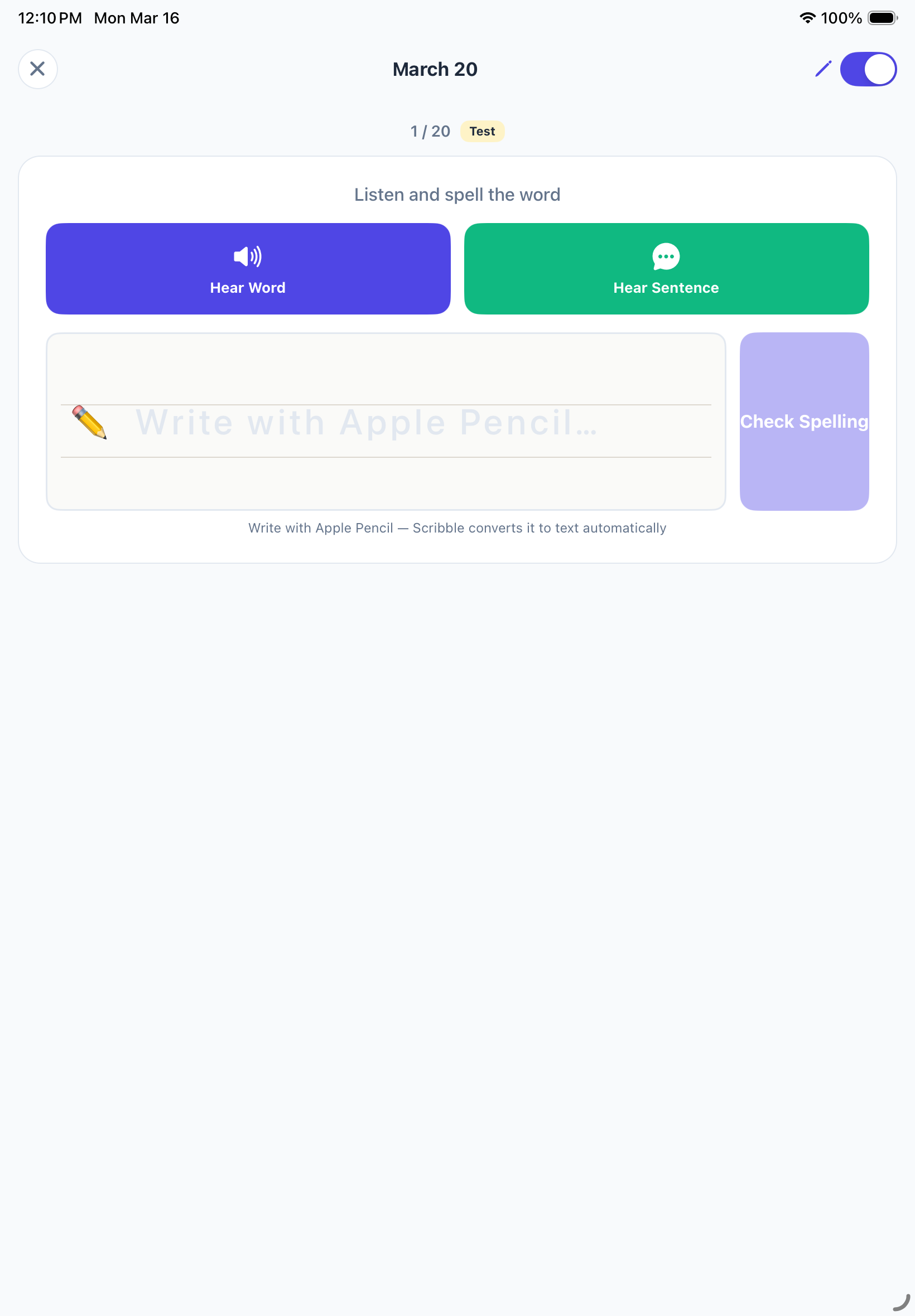
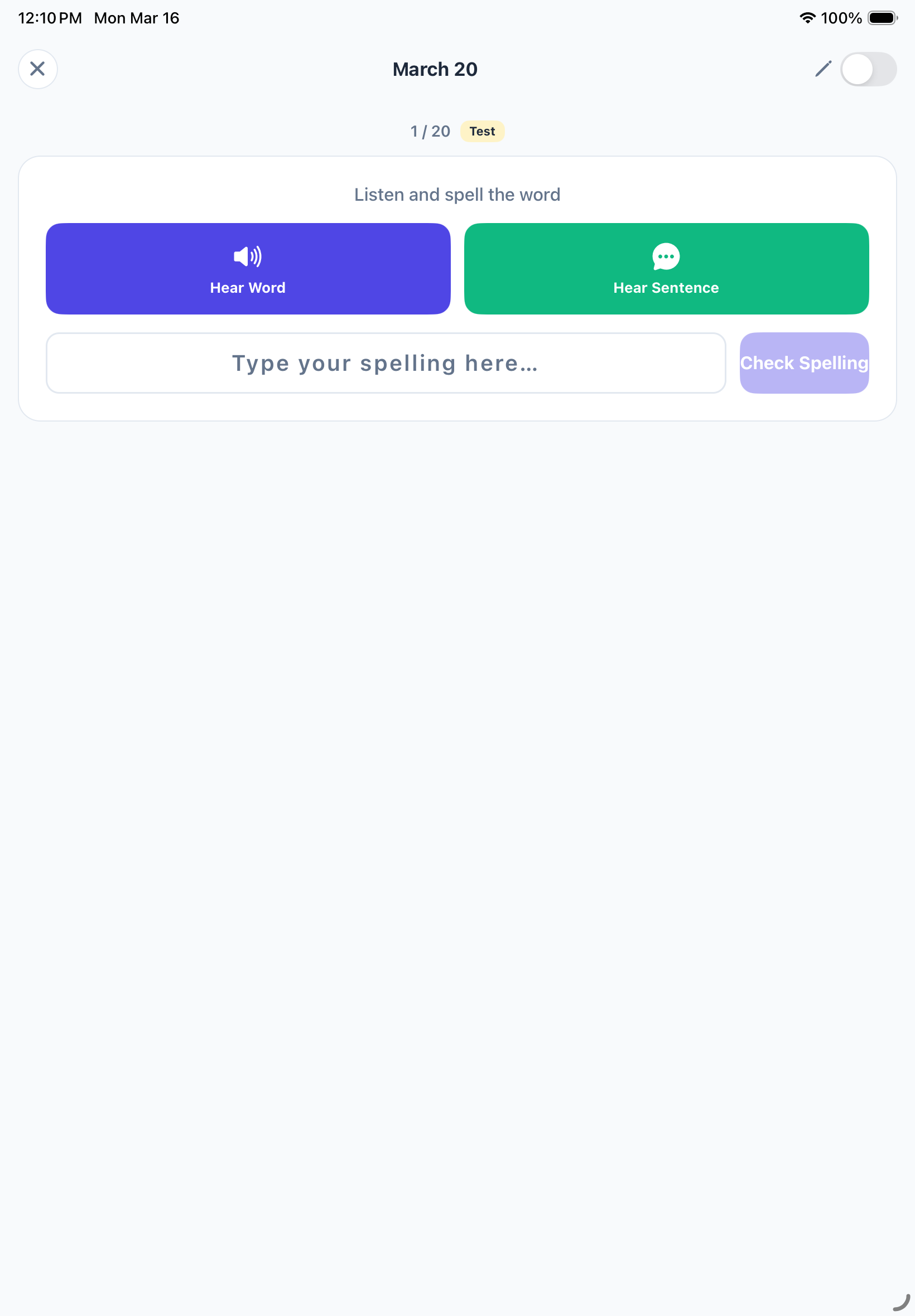
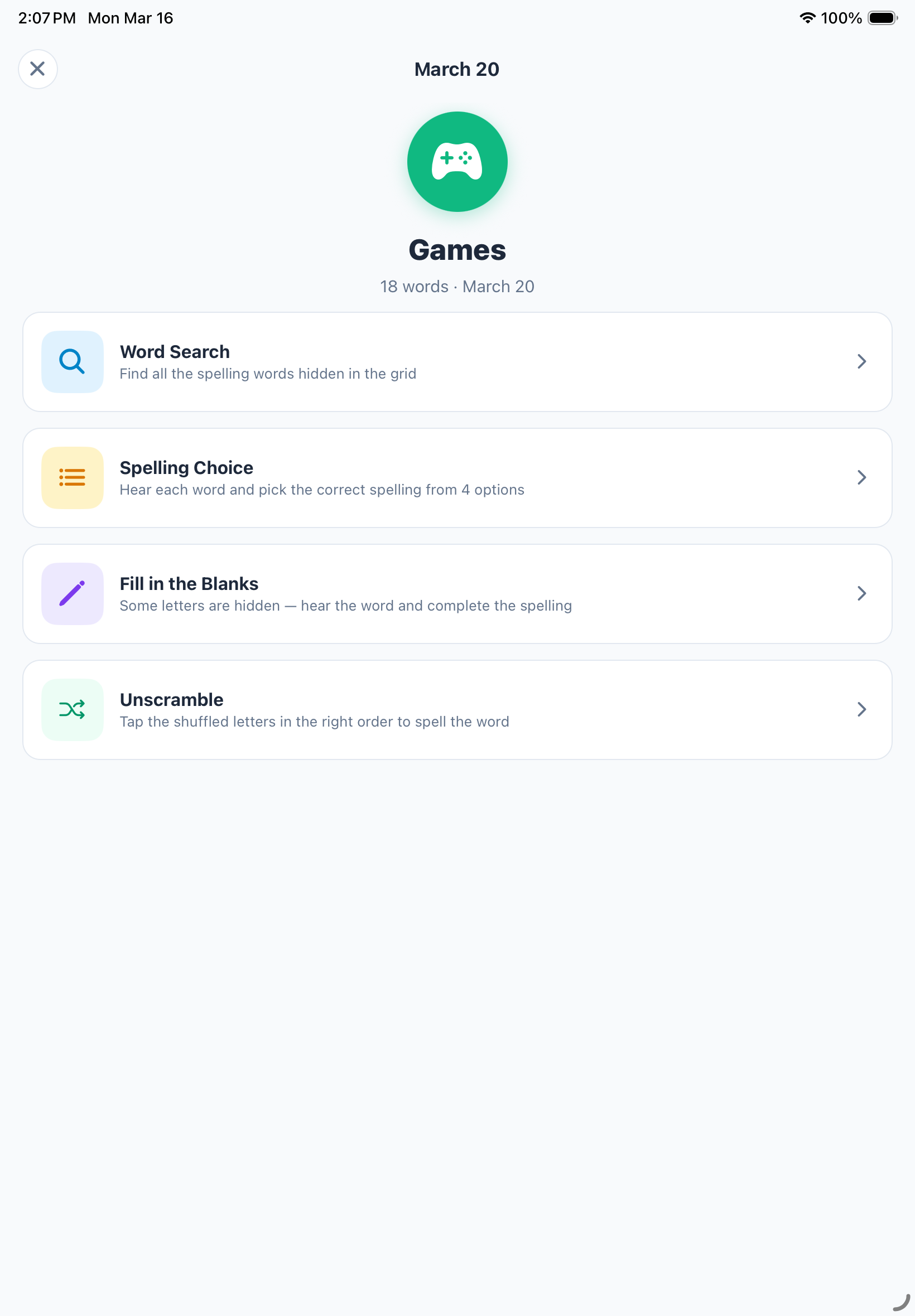
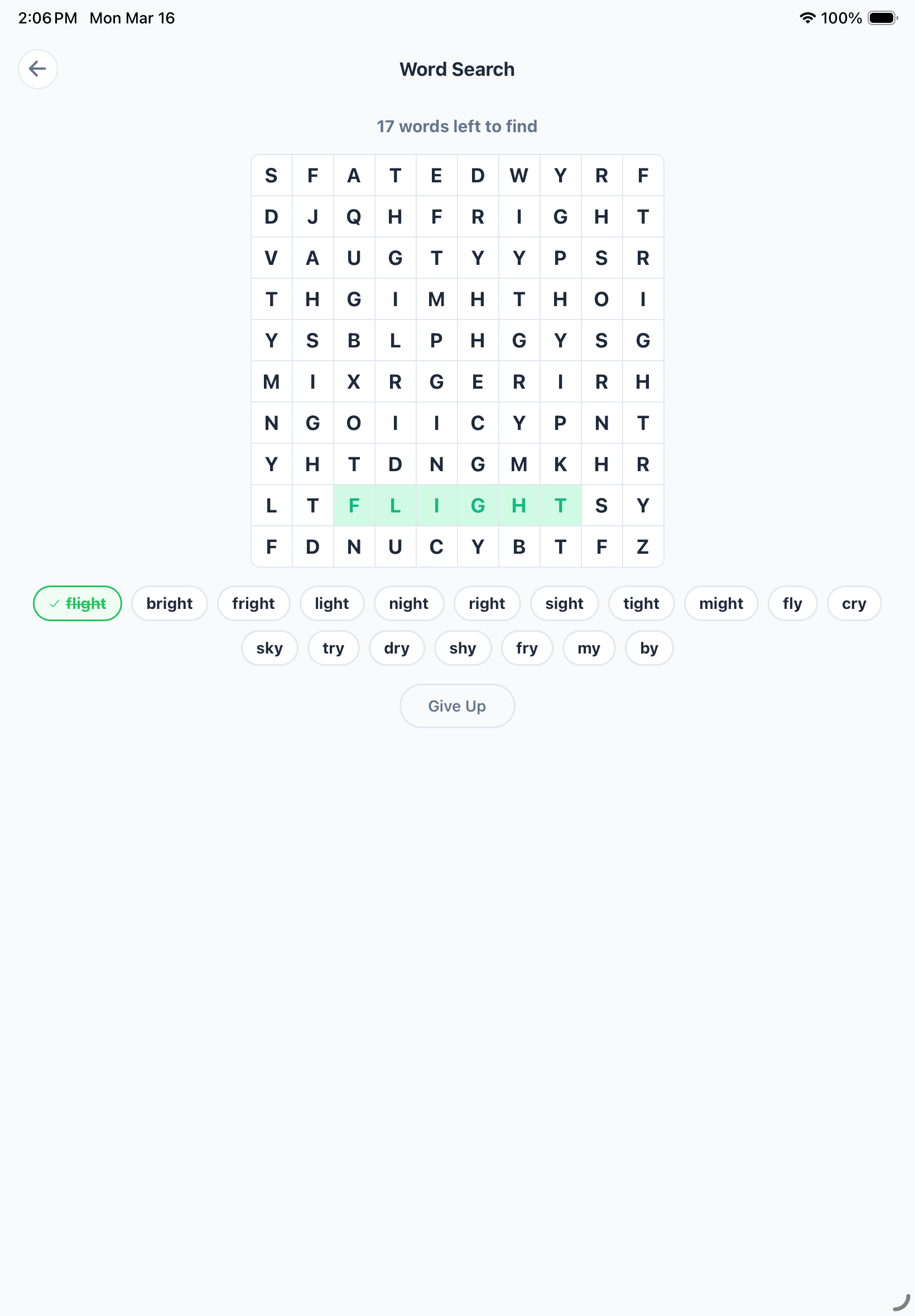
A word list on iPad with one word expanded to show its definition and recording buttons Writing an answer with Apple Pencil, which Scribble converts to text automatically A practice card with Hear Word and Hear Sentence buttons above a spelling box The games menu on iPad A word search puzzle on iPad, built from the words on the list
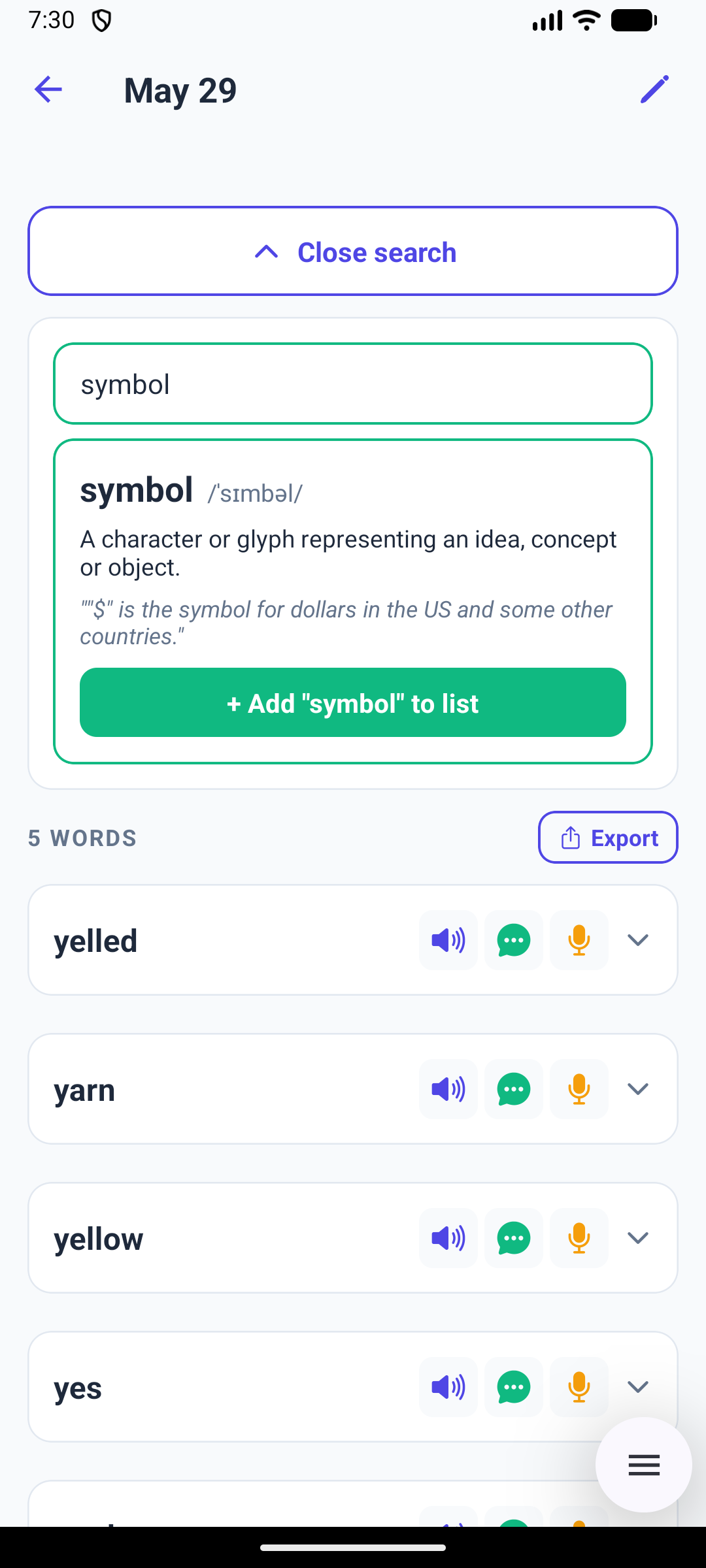
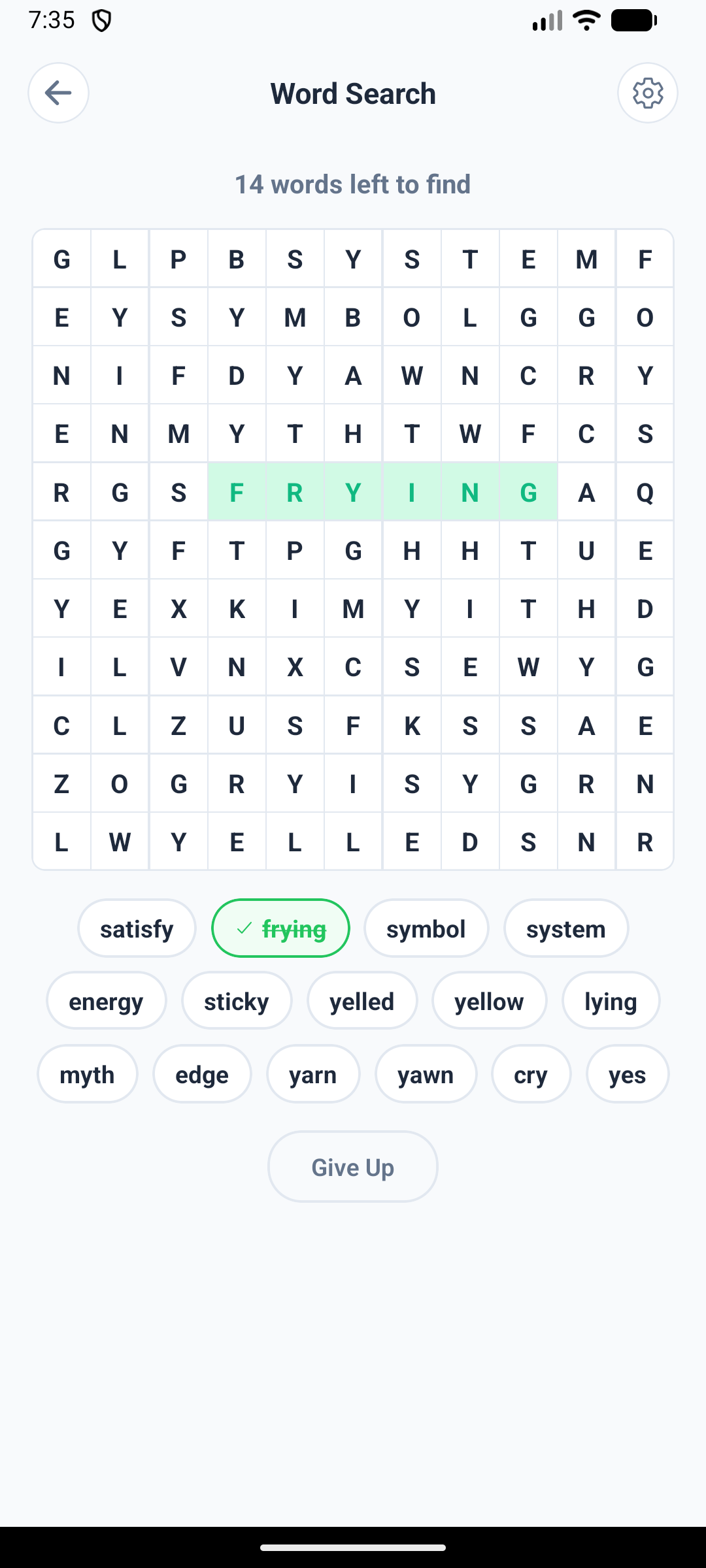
Looking a word up on Android, with its definition and example ready to add to the list Typing a spelling on Android after hearing the word read aloud Instant feedback on Android after spelling a word correctly, with the meaning shown The games menu on Android: Word Search, Spelling Choice, Fill in the Blanks and Unscramble A word search puzzle on Android with one word found and struck through Fill in the Blanks on Android, with missing letters to complete
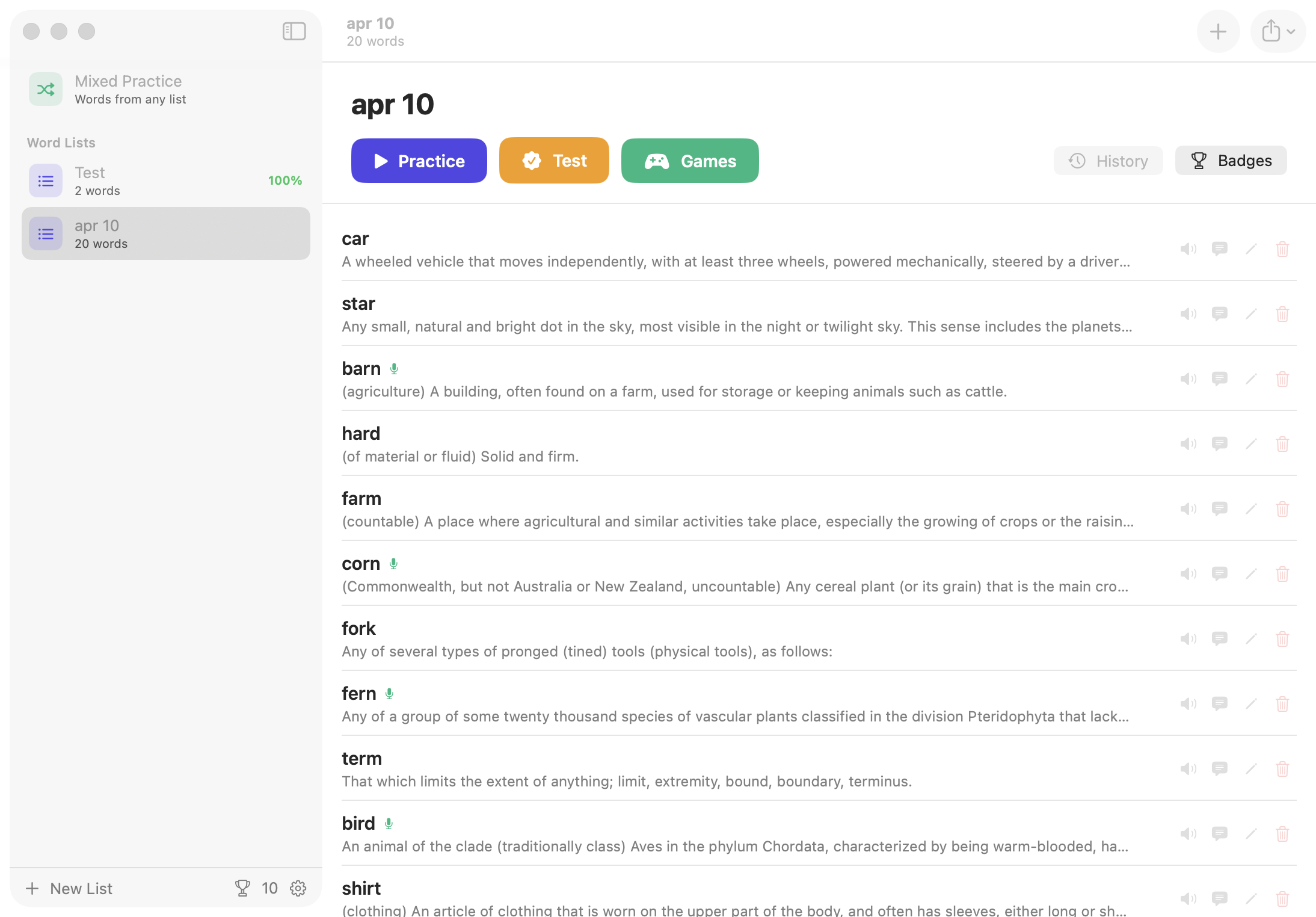
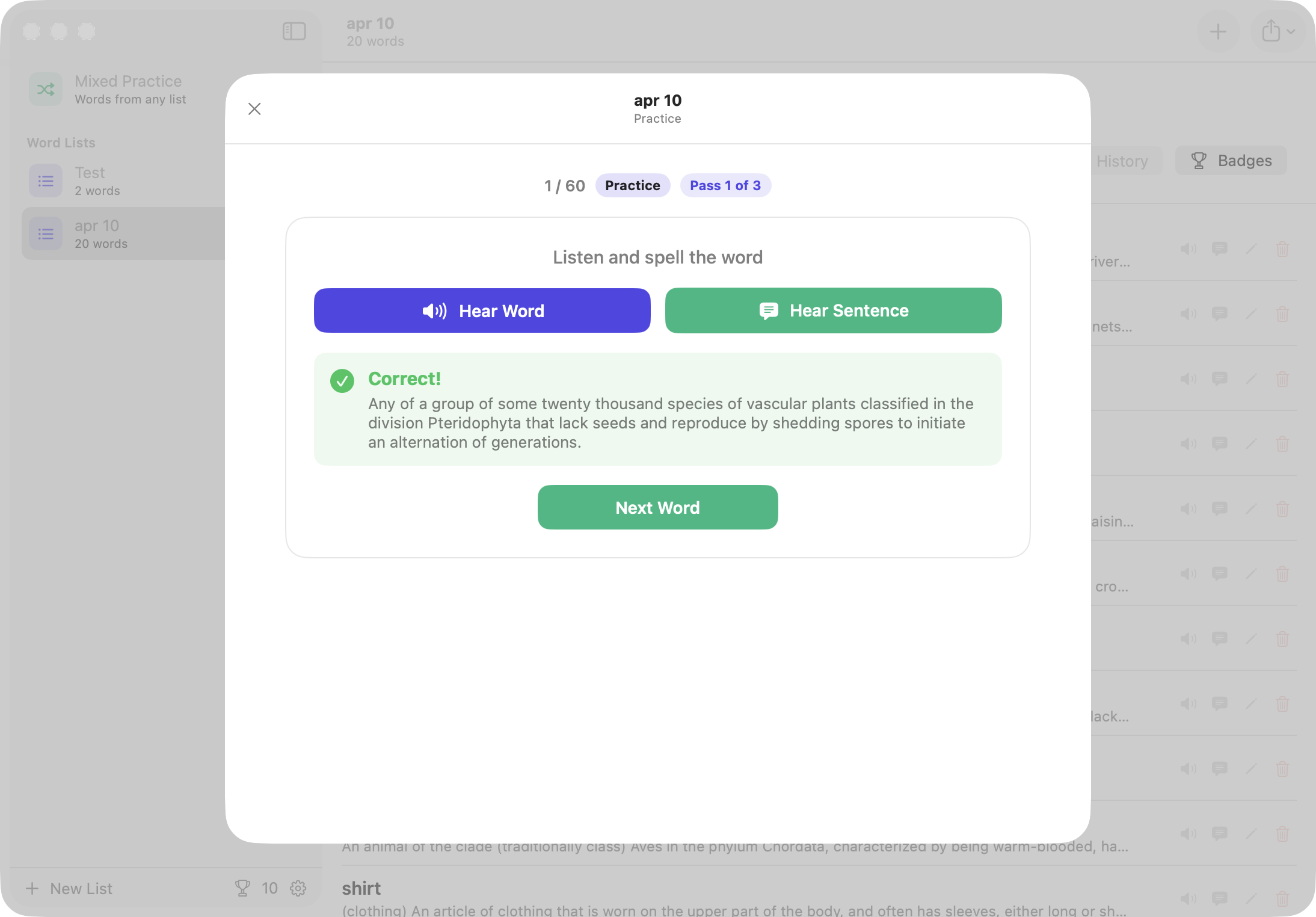
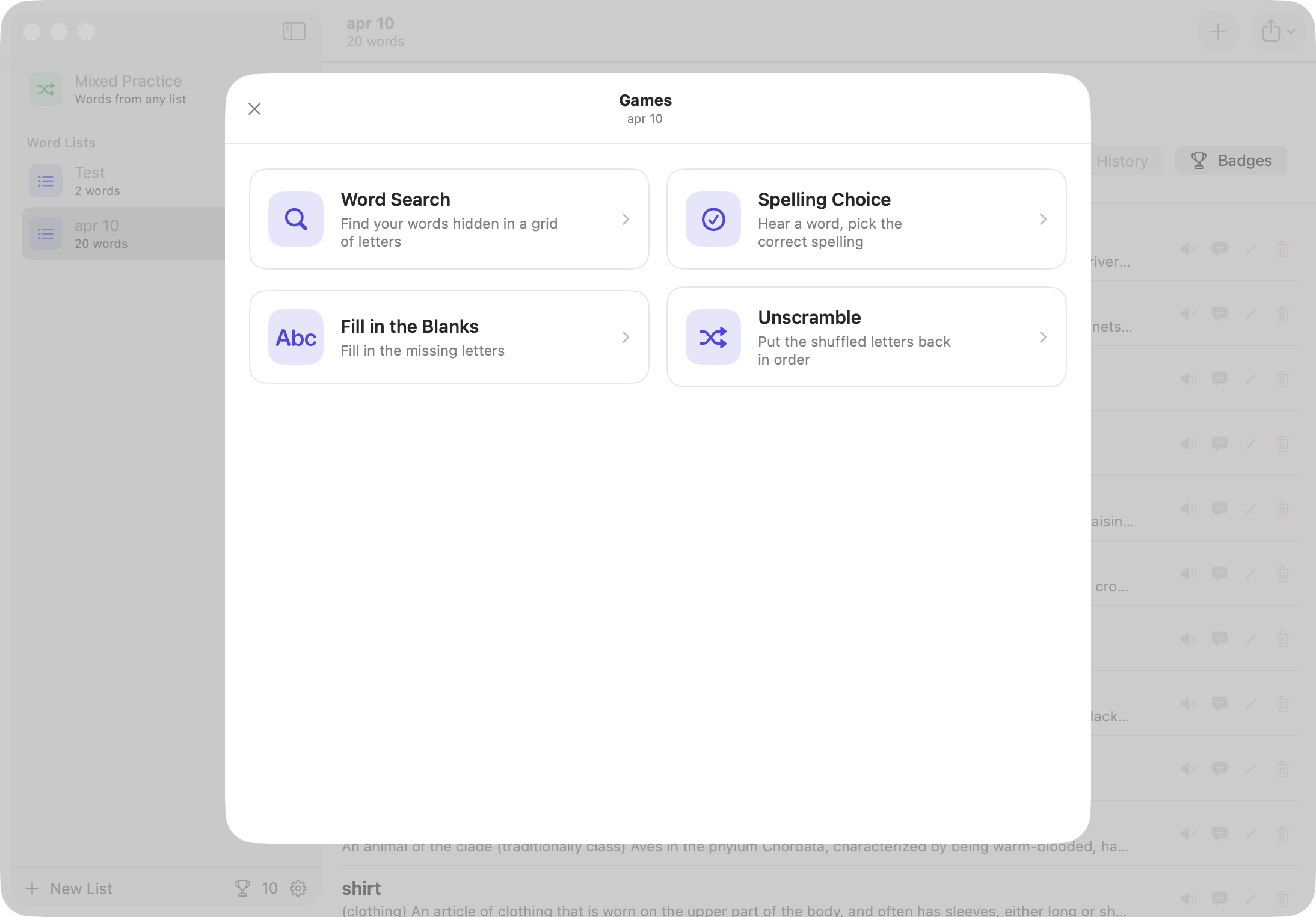
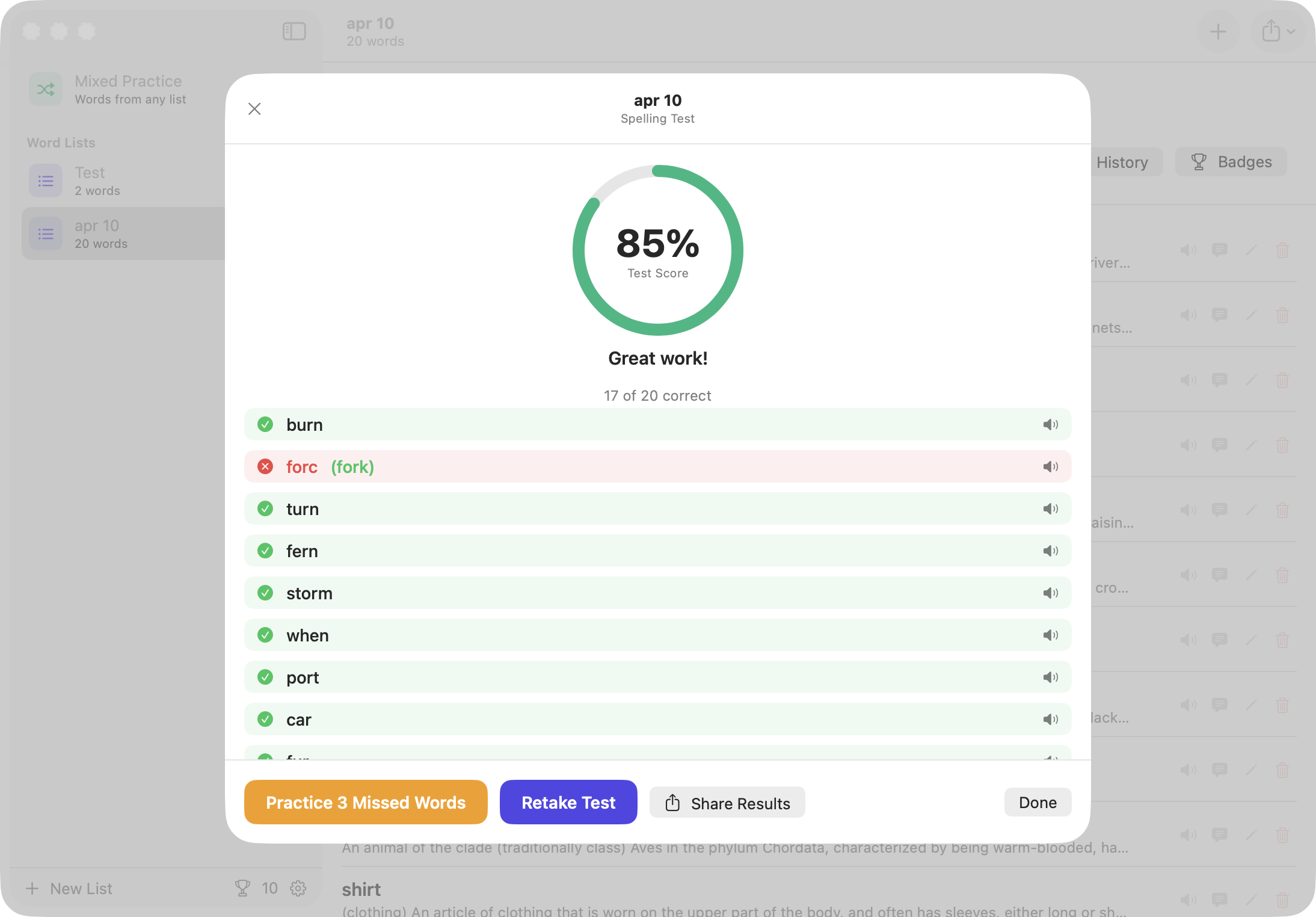
Word lists in the sidebar on Mac, with the selected list's words and definitions Instant feedback on Mac after spelling a word correctly, with the meaning shown The games menu on Mac: Word Search, Spelling Choice, Fill in the Blanks and Unscramble A word search puzzle on Mac, built from the words on the list A finished test on Mac showing the score and every word marked right or wrong

Everything you need to become a better speller

📝

Custom Word Lists

Build your own spelling lists for any subject or grade level. Add, edit, and archive lists whenever you like.

🔊

Voice Playback

Every word is read aloud clearly. Choose from multiple English voices to match your preference. You can also record use your own voice if you would like.

🎮

4 Game Modes

Unscramble, Multiple Choice, Fill in the Blanks, and Word Search keep practice fun and engaging.

📊

Progress Tracking

See scores for every practice and test session. Review missed words and re-practice them instantly.

🏆

Achievements

Earn trophies as you improve. Achievements motivate consistent practice and celebrate milestones.

🔒

Private by Design

All data stays on your device. No account required, no data ever sent to a server.

🔗

Share Lists & Recordings

Teachers can share complete word lists, including custom voice recordings, directly with students. One tap to send, one tap to import.

✏️

Apple Pencil Support

Practice spelling naturally by writing each word by hand. Apple Pencil support turns your iPad into a real spelling workbook.

How it works

  1. Create a word list

    Tap New List, give it a name, and add the words you want to practice. You can also import a list from a file.

  2. Practice or test yourself

    Hear each word spoken aloud, then type your spelling. Choose Practice for multiple attempts per word or Test for a scored quiz.

  3. Play spelling games

    Reinforce learning with Unscramble, Multiple Choice, Fill in the Blanks, and Word Search, all built from your own word lists.

  4. Track your progress

    Review session history, see your best scores, and go back to practice any words you missed.

Why we built this

Better Speller started with my son's weekly spelling list and me reading words out loud across the kitchen table. It worked, barely, until we both lost interest somewhere around word six.

The apps we tried were close but never quite it. None of them let him practice writing the words with Apple Pencil, which is how he has to do it at school. None let me record the words in my own voice. None let me set a list up once and share it with his device. And the ones with games buried them under ads, accounts and features neither of us asked for.

So we built the one we wanted: our list, in my voice, written by hand or typed, with four games he'll play without being asked, and nothing else. It's still what we use the night before the Friday test.

What we didn't plan for was his sister. She's working on sight words rather than weekly spelling lists, and the games turned out to be just as good for those. She asks to play them, which is not something either of us expected to say about spelling practice.

- Alex, Better Speller

Start practicing today.

No account. No ads. Just a better way to learn spelling.

Download on the App Store Get it on Google Play